How to Catalog a Video Game Collection
Record platform, region, completeness and condition for every game, store cartridges and discs so they last, and keep one list you can check before you buy.

On this page
It's a Saturday morning at a flea market, there's a shoebox of loose cartridges on a folding table, and you're holding a game you're almost sure you already own. Maybe it's the copy on the shelf at home. Maybe it's the one you lent your brother three summers ago. You buy it anyway, and that evening you find the first copy, complete in its box, exactly where it has always been.
A list fixes that, and it does more than stop duplicate buys. It tells you which games are complete and which are missing a manual, what you paid, and what you'd need to replace if a shelf ever went wrong. Here's how to catalog a video game collection so the list is useful from the first evening and stays true after that.
Decide what to record before you start
The usual mistake is opening a blank spreadsheet and adding columns as you go. Twenty games in, you realize you never noted the region, and everything comes back off the shelf. Pick the fields first:
Title and platform, written the way the game is labeled
Region, such as the North American, European or Japanese release
Format: cartridge, disc, card or download code
Completeness: game only, game and case, or complete with manual and inserts
Condition of each part, in a few plain words
Edition or variant, if there was more than one printing
What you paid, when, and where
Where it lives on the shelf
Region and edition sound fussy until you need them. Two copies of the same game from different regions can be different releases with different values, and a reprint can look almost identical to the first printing. Write down what's printed on the label and the case, and you won't have to guess later.
Be consistent about completeness
Collectors use shorthand for this, and it helps to pick one set of terms and stick to it. A simple version: loose means the game alone, boxed means the game with its case or box, complete means game, box and manual, and sealed means never opened. If a complete copy is missing a map or a poster that originally came inside, note exactly what's missing rather than downgrading the whole entry.
Describe condition the same way every time
You don't need a grading scale. Three or four words per part is enough: "label faded, box creased, manual clean." The point is that when you compare two copies a year from now, you're comparing the same kind of note, written the same way.
Do the first count one shelf at a time
Trying to catalog a full collection in one sitting is how a list gets abandoned at game 140. Work through one shelf or one platform per evening, and finish it before starting the next.
Pull every game for one platform onto a table.
Photograph each game front and back, with the label visible on loose cartridges and the disc visible on disc games.
Open every case and check that the disc or cartridge inside matches the case.
Record the fields above while the game is still in your hand.
Put it back on the shelf in its final spot before you pick up the next one.
Step three catches more than you'd expect. Discs drift into the wrong cases over years of play, and a case you've listed as complete turns out to hold a different game. It's better to find that now than on the day you go to sell or trade it.
Store it so the list stays true
A catalog is only accurate if games stay where it says they are. Give every platform its own section of shelving, and shelve games spine-out in the order you recorded them. Alphabetical within each platform is the easiest order to keep up.
Cartridges
Keep cartridges in a cool, dry room, out of direct sunlight, which fades labels faster than anything else. Loose cartridges do well in individual dust covers. Many older cartridges keep saved games on a small internal battery that eventually runs flat, so if a save file matters to you, note which games have one and check them now and then.
Discs and cases
Store discs in their cases, never stacked loose, and keep cases upright like books so they don't warp under weight. Keep each manual inside the case it came with. A manual stored somewhere else is a manual that goes missing.
Consoles, controllers and cables
Give each console its own labeled box for its power supply, video cables and controllers, so you're never testing five cables to find the right one. The guide to organizing cords and cables walks through labeling them so they stay matched to the right console.
Keep it current as games come and go
A catalog falls behind the moment a new game arrives and doesn't get entered. Make a rule that no game goes on the shelf until it's on the list, and do the same in reverse: when a game is sold, traded or lent, update the entry that day.
Lending is where most collections lose games quietly. Note who has it and when it left, and you'll know who to ask six months from now.
Once a year, do a quick spot check. Pick one shelf, compare it against the list, and fix whatever has drifted.
Check the list before you buy
This is the payoff most collectors feel first. Before a flea market, a game store trip or an online order, check the list. Keep a separate want list too, with the edition and region you're after, so you aren't tempted by a copy that isn't the one you need.
It helps at gift time as well. When family members ask what to get you, send them the want list instead of a vague answer, and nobody buys a second copy of a game already on your shelf. The guide to keeping track of gifts you buy early covers the other side of the same problem.
If you collect more than one kind of physical media, the same fields-first method carries over. The guides to cataloging a vinyl record collection and organizing a trading card collection use it too.
Where an app helps
A spreadsheet with the fields above works, and plenty of collectors use one. If you'd rather keep the list with photos and search it from your phone at a flea market table, here's how it looks in Cratify.
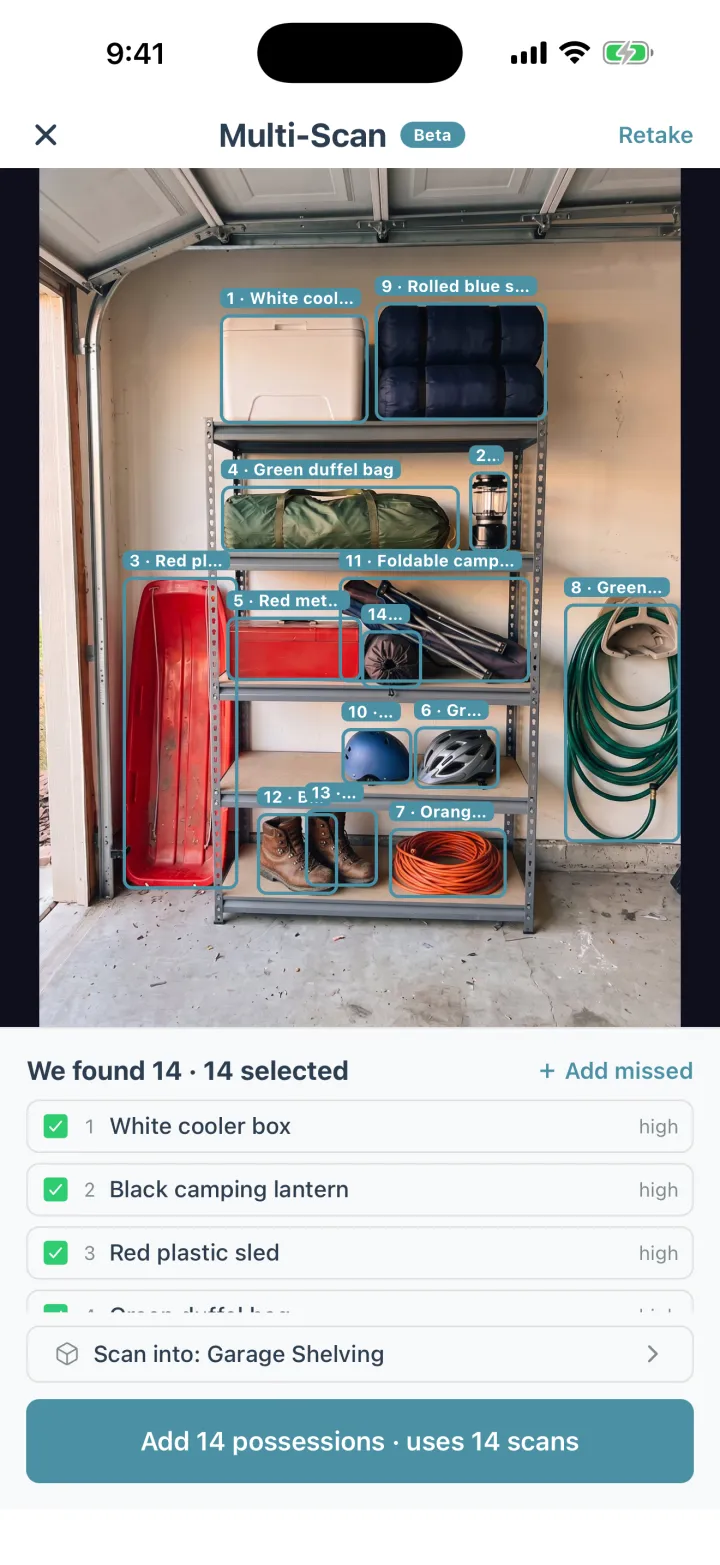
Multi-Scan names up to 15 possessions from one photo.
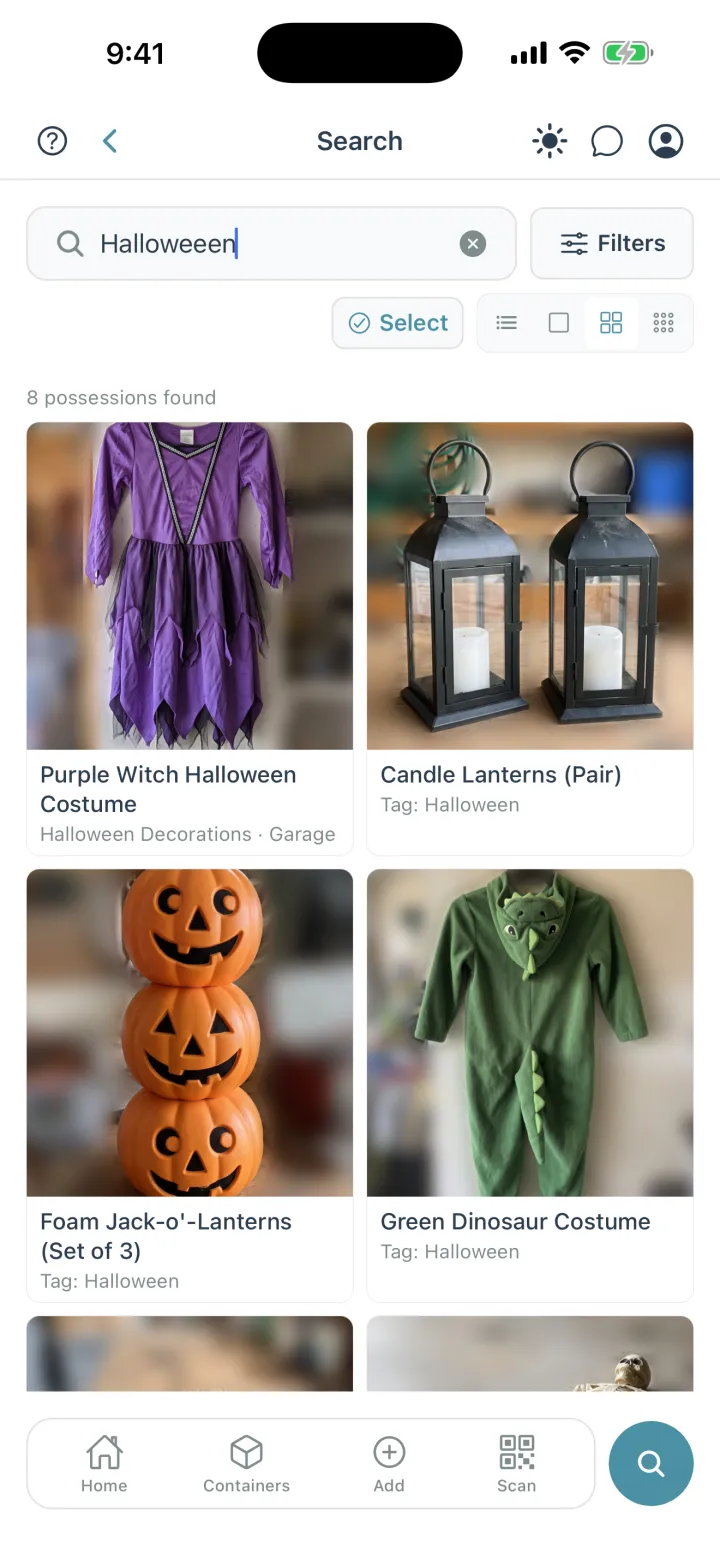
Search forgives typos: “Halloweeen” still finds every Halloween possession.
Each game is a possession with its photo, and AI identification fills in its details from that photo, which you can then correct field by field. When you're cataloging a whole shelf, you can stage up to 20 photos in one batch. Each shelf section can be a Shelf container in the room it's in, and search draws on each game's details as well as its name, so a search for a title shows which shelf it's on.
The want list can be a collection, and a collection can be exported as a PDF or printed when someone asks what to buy you. A receipt can be saved as its own possession with the amount you paid. And when a game is lent out, mark it temporarily removed with a note saying who has it.
The short version
Decide your fields before you start, and record region, completeness and condition the same way every time. Count one shelf at a time, and open every case. Give each platform a fixed spot, keep manuals with their games, and update the list the day a game comes or goes. Check the list before you buy. Cratify is free to try.
Your collection, one search away
Record each game with a photo and its details, and check the list before you buy. Cratify is free to try.