HomeBox is free, open-source inventory software for people who want to run it on their own server. Cratify is a ready-made app for iPhone, Android and the web, built around your possessions, your collections and your household.
Free forever plan · iOS, Android & web · No credit card
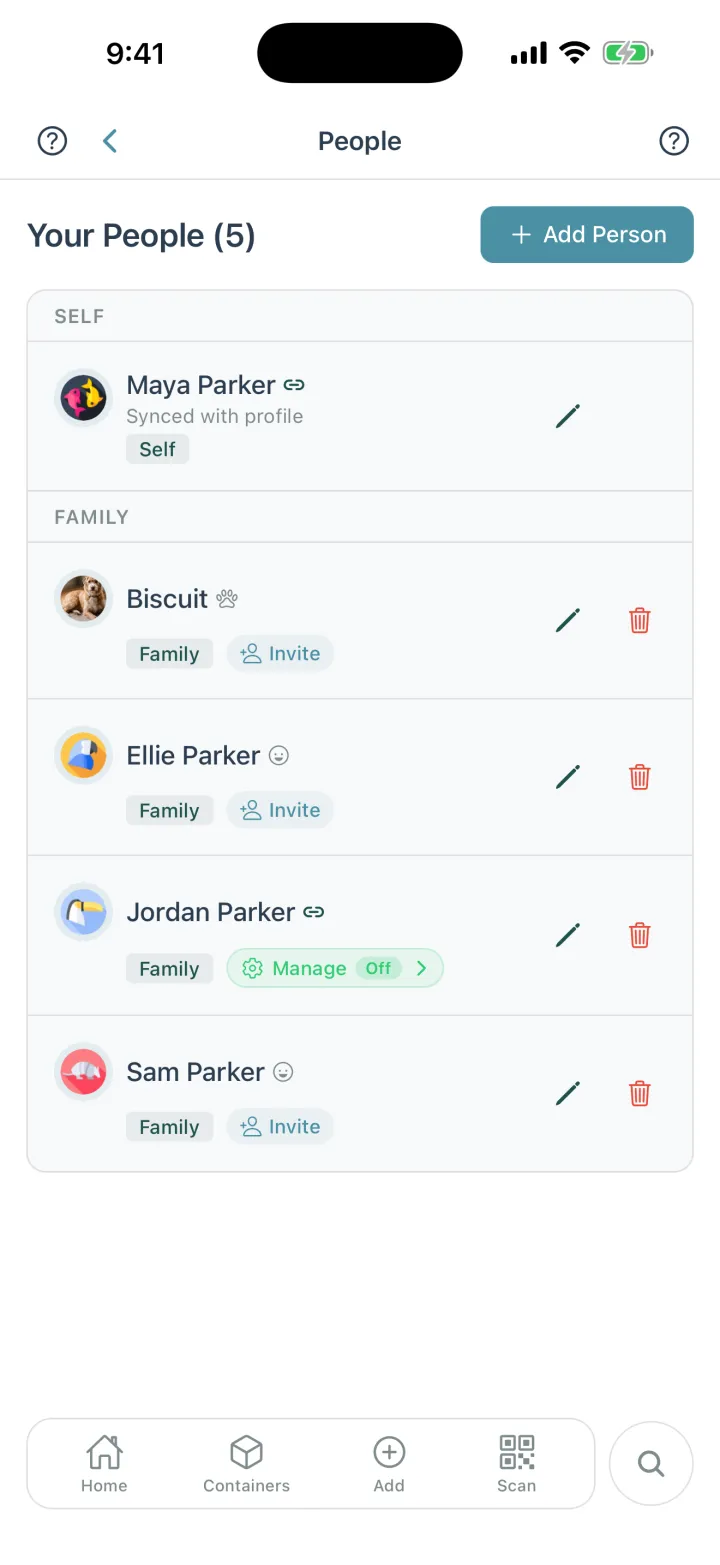
Your household in Cratify. Everyone, even the dog, gets a page with what's theirs.
The short version
Where Cratify is different.
Both keep track of what you own and where it's kept. These are the three places they part ways.
Nothing to host
Install Cratify from the App Store or Google Play, or open it on the web, and start adding possessions. HomeBox runs on a server you set up and maintain.
A photo fills it in
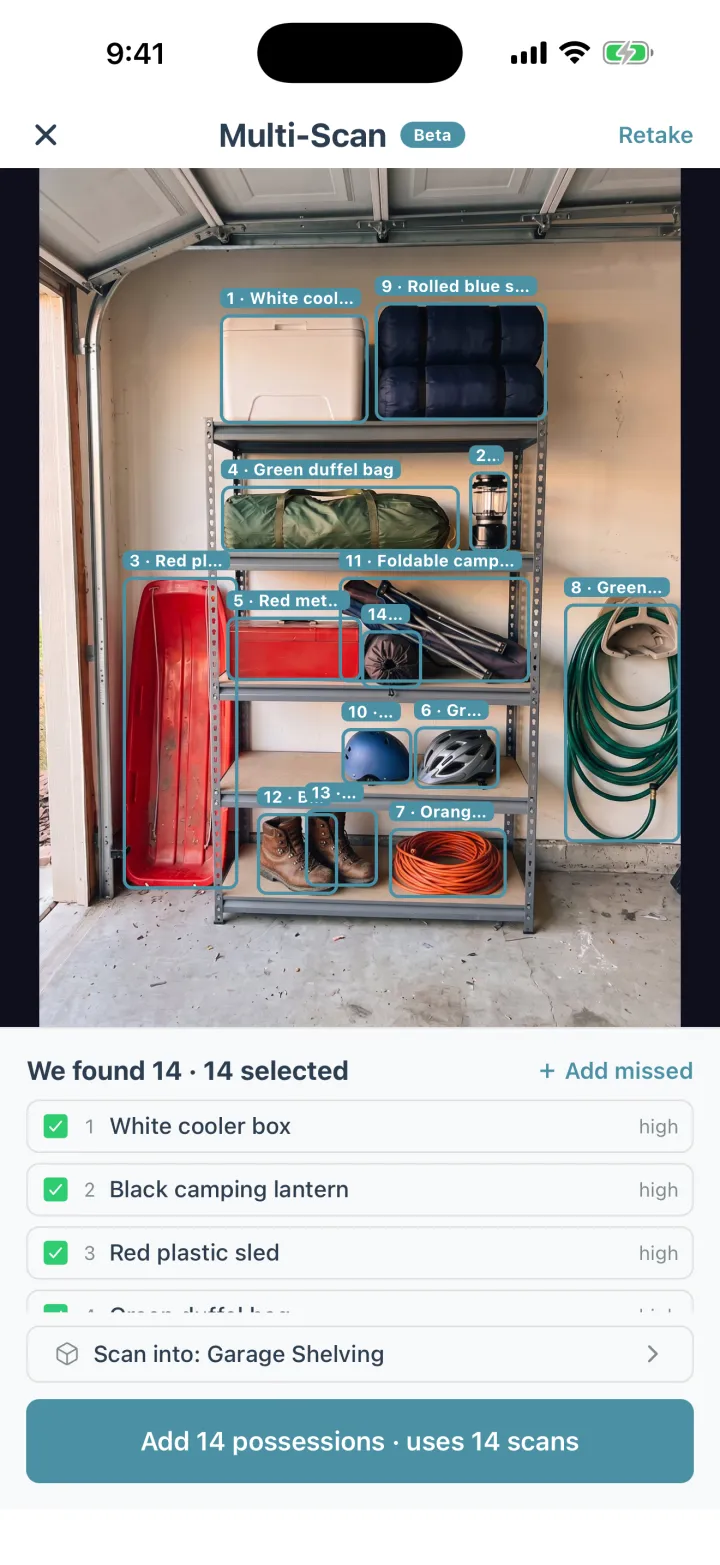
Snap a photo and AI names the possession, with a suggested category, description and tags. Multi-Scan names up to 15 possessions from one photo.
Apps for your phone
Cratify has apps for iPhone and Android, plus the web, all in sync. HomeBox is a web interface you open in a browser, on any device.
Side by side
Cratify and HomeBox, point by point.
HomeBox's column comes from its own documentation and GitHub repository, checked in October 2026.
Cratify compared with HomeBox
What to check
Cratify
HomeBox
Getting startedWhat you do before you can add the first possession.
Download it for iPhone or Android, or open it on the web, and sign up. Cratify runs and updates the service for you.
You install it on your own server, with Docker (recommended) or a downloadable binary, then open it in a web browser.
Where your data livesWho holds the inventory, and who looks after it.
In Cratify's cloud, private by default and visible only to the people you share with. Export or delete it at any time.
On your server. HomeBox's site says there's no cloud sync and no third-party access; backups and updates are yours to run.
Adding possessionsA whole home is hundreds of possessions. Entry speed decides whether you finish.
Snap a photo and AI names it, with a suggested category, description and tags. 50 AI scans a month free, unlimited with Lifetime, and Multi-Scan with Lifetime.
You fill in an item form, with templates and “Create and Add Another” to speed it up. CSV import for bulk.
Where it's keptReal homes nest: a container on a shelf, in a closet, in a room.
Containers inside containers, in rooms and places. Open any container to see everything inside it, all the way down, with totals.
Locations nest inside each other, and items go in locations.
Sharing with your householdEveryone who lives there should be able to look it up.
Share a location, a room or a single container, as editor or view-only. Included on every plan.
Multiple users can share a collection, and one server can hold several separate collections.
Labels and QR codesTelling what's in a container without opening it.
Every possession and container has a QR code you can print on any printer. Handmarks let you scan the name you already wrote on a container (adding them comes with Lifetime).
Built-in QR codes for items and locations, label sheets by asset ID, one-off labels for label makers, and a QR code reader.
Receipts and recordsPaperwork that belongs with a possession.
Save receipts and documents alongside your possessions, pull up just your receipts, and see totals in the currency you pick.
Document and warranty tracking, purchase and maintenance tracking with reminders, and custom fields.
Phone and computerAdd on your phone, then review and print on a bigger screen.
Apps for iPhone and Android, plus the web, all in sync.
A responsive web interface that works in the browser on desktops, tablets and phones.
What it costsAs of October 2026.
Free for up to 250 possessions. Lifetime is $49.99 once, a launch price rising to $99 on Dec 1, 2026. It never renews.
Free and open source (AGPL-3.0). You provide and pay for the server it runs on.
HomeBox is an active open-source project, so details change between releases. Its documentation has the current answers.
An honest take
Who should pick HomeBox.
HomeBox is an actively developed open-source project with a lot going for it. For some people it's the better fit.
Pick HomeBox if…
You're comfortable running your own software.
You already run a home server or a NAS, and you want your inventory on hardware you control, with no cloud sync.
You want open-source code you can read, change and host for free, under the AGPL-3.0 license.
You track detail: custom fields, warranties, and maintenance schedules with reminders sent to Discord, Slack or email.
You want a REST API, CSV import and export, or single sign-on with your own identity provider.
You're happy to look after installs, updates and backups yourself.
Pick Cratify if…
You'd rather start cataloging than set up a server.
You want to install an app from the App Store or Google Play, or open it on the web, and start right away.
You'd like a photo to do the typing: AI names each possession, and Multi-Scan names a whole shelf.
You share a home and want to note whose each possession is, from the kids to the dog.
You want collections that span rooms and places, like the camping gear or the holiday decorations.
You want to scan what you already wrote on a container, with Handmarks.
Curious about HomeBox? Its project runs a public demo you can try before installing anything.
Adding possessions
One photo. Every possession named.
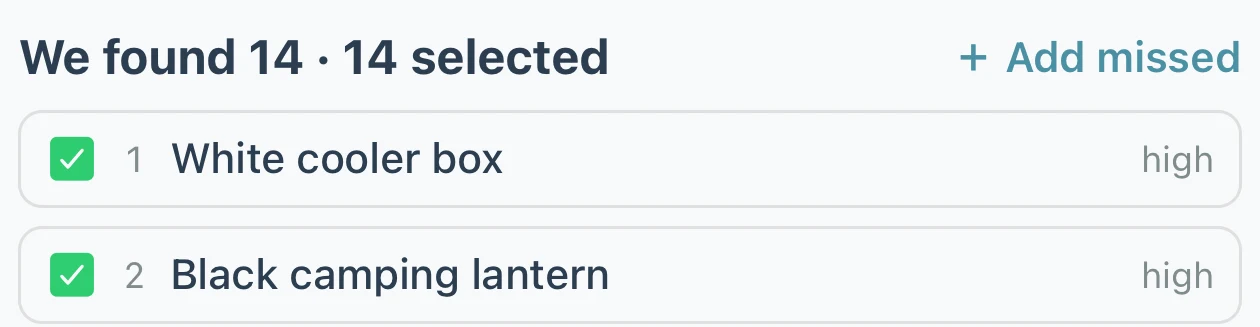
Point your camera at a shelf, a closet or a garage wall. Multi-Scan finds each possession in the photo, names it and files it in that container, and you can fix any name it got wrong.
One possession at a time works on every plan: 50 AI scans a month on Basic, unlimited with Lifetime.
Multi-Scan comes with Lifetime: up to 15 possessions from one photo.
Have three of the same possession? Set a quantity instead of adding it three times.
Pricing
Free to start. Pay once, own it forever.
Your home isn't something you rent month to month, and knowing what's in it shouldn't come with a monthly bill.
Basic
$0 / forever
Start organizing today, no credit card
Up to 250 possessions
Up to 50 containers
2 locations, 5 rooms
50 AI scans per month
Sharing with your household
Print QR codes, and scan Handmarks your household adds
New accounts can try Lifetime free for 3 days first, with no card and no automatic charge.
FAQ
Cratify vs HomeBox, answered.
Is HomeBox free?
Yes. HomeBox is free, open-source software under the AGPL-3.0 license. You run it on your own server, so any hardware or hosting costs are yours. Cratify's Basic plan is free for up to 250 possessions, and Lifetime is one payment of $49.99 (launch price, rising to $99 on Dec 1, 2026).
Do I need a server to use HomeBox?
Yes. HomeBox's quick start lists a server to host it as a requirement. Docker is recommended, and downloadable binaries are also available. Cratify needs no server: install it from the App Store or Google Play, or use it on the web.
Can Cratify be self-hosted?
No. Cratify is a hosted service. Your inventory is private by default and visible only to the people you share with, and you can export or delete your data at any time.
Can my household share the inventory?
Both can. HomeBox supports multiple users who share a collection. In Cratify, you share a location, a room or a single container as editor or view-only, on every plan, and you can record who each possession belongs to, even someone who doesn't use Cratify, like a young child.
Do both print QR labels?
Yes. HomeBox generates QR codes and labels for items and locations. In Cratify, every possession and container has its own QR code you can print on any printer, free on every plan. Cratify also has Handmarks, which turn what you already wrote on a container into the code you scan. Adding Handmarks comes with Lifetime.
Is Lifetime a subscription?
No. Lifetime is one payment that unlocks unlimited possessions and AI identification, Multi-Scan, adding Handmarks, product barcode scanning and every future feature. It never renews.
More comparisons
Weighing other options?
Start with what to check in any home inventory app, or pick another side-by-side.