HomeZada helps homeowners run the whole house: inventory, maintenance, remodel projects and finances. Cratify is built around what you own: your possessions, your collections and the people you live with.
Free forever plan · iOS, Android & web · No credit card
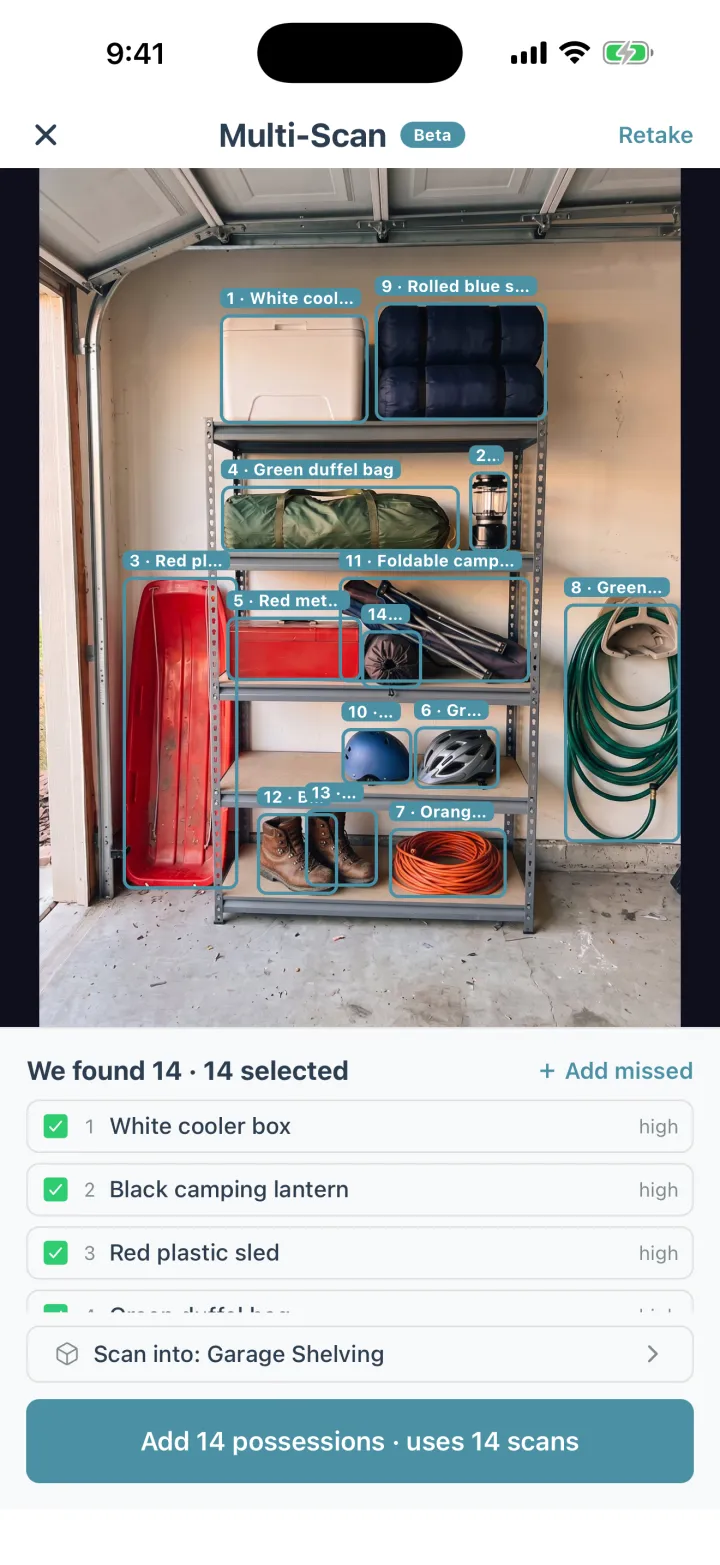
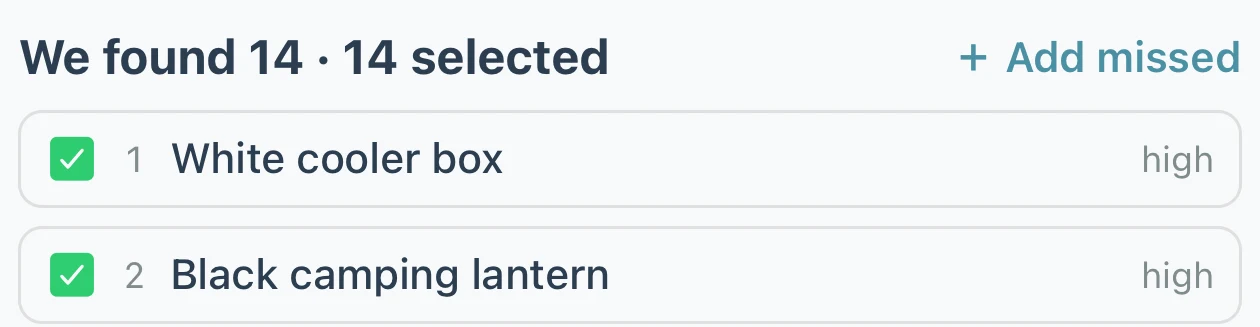
Multi-Scan, included with Lifetime: one photo, up to 15 possessions named. Fix any name it got wrong.
The short version
Where Cratify is different.
Both apps help you record what you own, with photos. Here are three differences you'll notice.
Pay once, not every year
Cratify Lifetime is $49.99 once and never renews. HomeZada's Essentials plan is free; Premium is $99 a year or $15.95 a month and Deluxe is $189 a year, as of October 2026.
Focused on what you own
HomeZada spans maintenance, remodel projects and home finances as well as inventory. Cratify puts everything into your possessions: who each one belongs to, which collection it's part of and where it's kept.
Down to the container
HomeZada organizes inventory by room and space. Cratify goes one step further: containers inside containers, so you can see which box on which shelf a possession is in.
Side by side
Cratify and HomeZada, row by row.
Every row here was confirmed for both apps. HomeZada's details come from its own website and App Store listing.
Cratify compared with HomeZada
Compare
Cratify
HomeZada
Who it's built forThe tools an app adds follow from what it's for.
What you own: your possessions, your collections and your household, including who owns what.
Homeowners running the whole home. Alongside inventory it covers home maintenance, remodel projects, home finances and multiple properties.
Free planWhat you can do before paying anything.
250 possessions, 50 containers, 2 locations, 5 rooms, 50 AI scans a month, and sharing with your household.
Essentials: home inventory, documents, a contact list and a news feed, with 10 Homeowner AI chats.
Paid plansAs of October 2026. Check whether the price repeats.
Lifetime: $49.99 once, a launch price rising to $99 on Dec 1, 2026. It never renews.
Subscriptions. Premium is $99 a year or $15.95 a month and adds maintenance, remodel projects, finances and reports. Deluxe is $189 a year for up to 3 properties.
Adding possessionsHow much typing each possession takes.
Snap a photo and AI names each possession. Multi-Scan names up to 15 from one photo (Lifetime).
AI photo recognition turns photos you choose into inventory data. Bulk-upload photos and tag them to spaces and items, or record a video of each room.
OrganizingReal homes nest: a container on a shelf, in a closet, in a room.
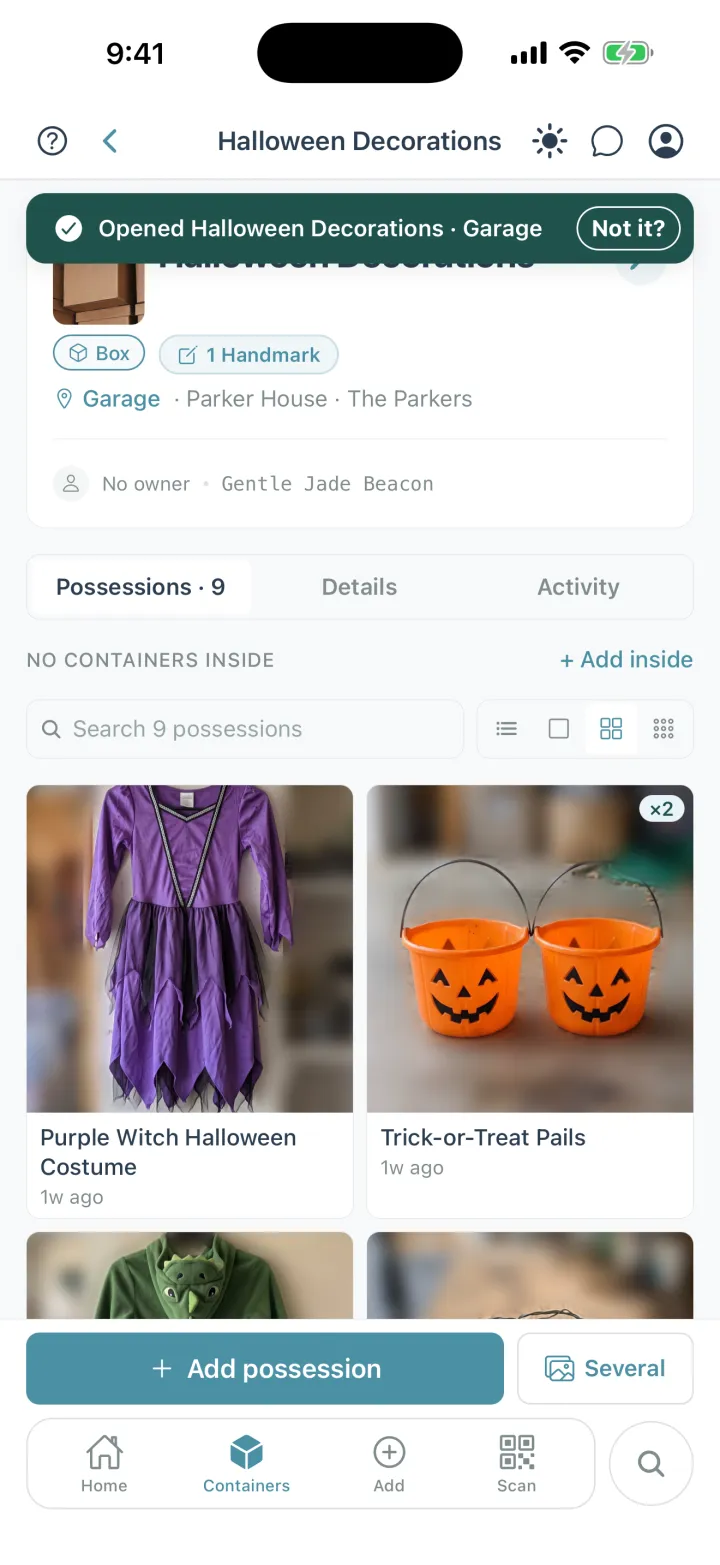
Containers inside containers, in rooms and places. Open any container to see everything inside it, all the way down.
Room-by-room inventory templates, with value totals by room, category and overall.
SharingEveryone who lives there should be able to look it up.
Share a location, a room or a single container, as editor or view-only. Included on every plan.
Invite family members for free access.
More than one homeA cabin, a rental or a storage unit.
2 locations on Basic, unlimited with Lifetime.
Deluxe covers up to 3 properties; each extra property is $99 a year.
DevicesAdd on your phone, then review on a bigger screen.
iPhone, Android and the web, all in sync.
Desktop, tablet and mobile, with iPhone, iPad and Android apps.
HomeZada details were checked on homezada.com and its App Store listing on October 3, 2026. Plans and prices change, so check HomeZada's pricing page for the latest.
Fair is fair
Who should pick HomeZada?
HomeZada does a lot that Cratify doesn't try to do. If these sound like you, it may be the better fit.
HomeZada may suit you better if
You want home maintenance schedules and remodel project tracking in the same app as your inventory.
You track home finances and want reports and dashboards.
You want PDF inventory reports for your insurance agent, or an export to a spreadsheet.
You'd like to record a video narrative of each room.
You keep manuals, warranties and home documents together with your inventory.
Cratify may suit you better if
You mainly want to know what you own, where it's kept and whose it is.
You want to note who each possession belongs to, from the kids to the dog.
You keep possessions in containers inside containers and want to find the exact one.
You'd rather pay once than keep a subscription.
You'd rather not buy labels: Handmarks scan what's already written on a container.
Both apps have a free plan, so you can try each one with a few of your own possessions before you decide.
New in Cratify · Handmarks · No labels to buy
No labels to buy. What you wrote is the label.
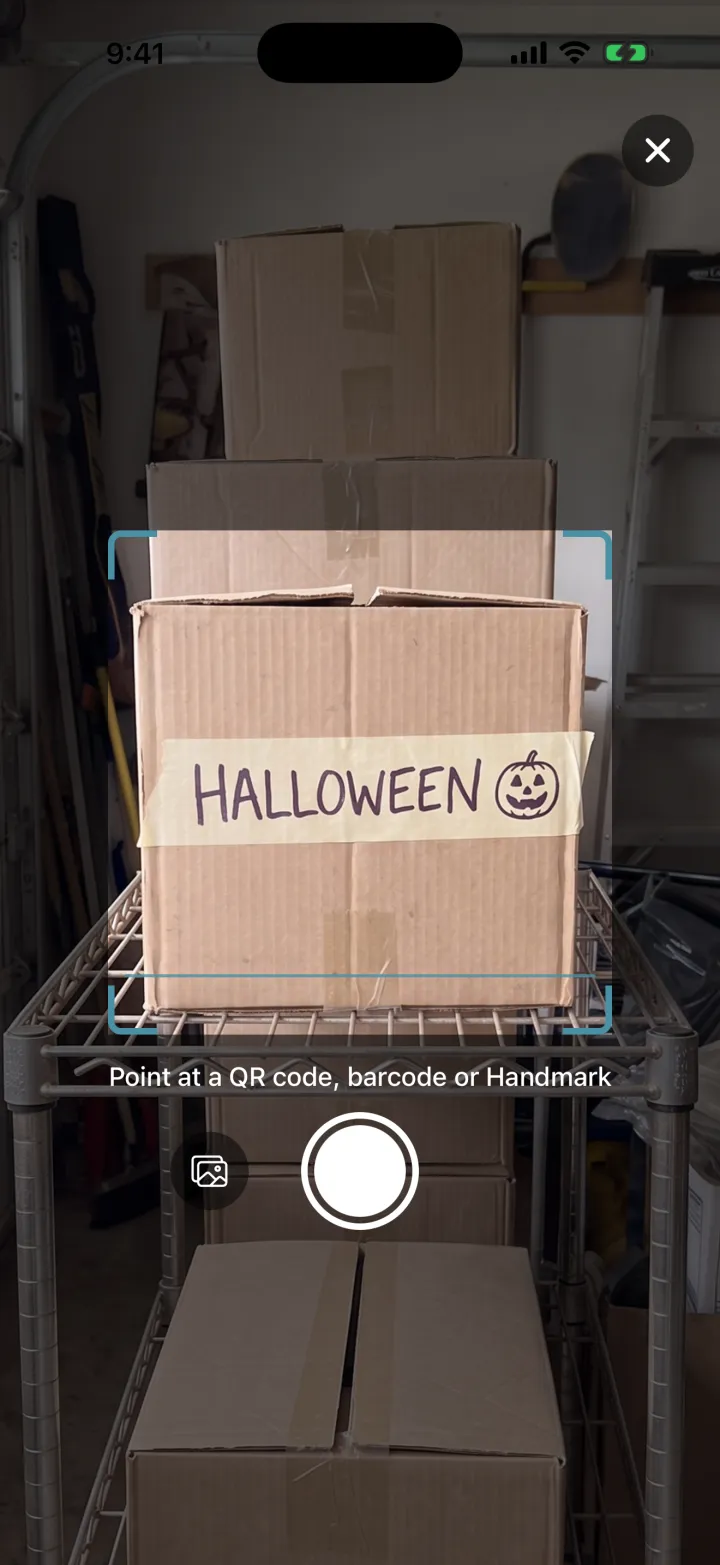
Many home inventory apps rely on you buying their QR labels. With Handmarks, whatever is already on a container becomes the code you scan: a strip of tape with a name on it, marker on the cardboard, or a kid's drawing.
Photograph the mark onceOpen the container and tap Add Handmark. Labeled more than one side? Add one for each side.
Point Scan at itThe same Scan button reads QR codes, barcodes and Handmarks.
It opens, with everything insideAnyone you share the container with can scan it too.
Adding Handmarks comes with Lifetime. Scanning a Handmark someone in your household added is free on every plan.
Rather have a code? Every possession and container also has its own QR code you can print on any printer, free on every plan.
Pricing
Free to start. Pay once, own it forever.
Your home isn't something you rent month to month, and knowing what's in it shouldn't come with a monthly bill.
Basic
$0 / forever
Start organizing today, no credit card
Up to 250 possessions
Up to 50 containers
2 locations, 5 rooms
50 AI scans per month
Sharing with your household
Print QR codes, and scan Handmarks your household adds
New accounts can try Lifetime free for 3 days first, with no card and no automatic charge.
FAQ
Cratify vs HomeZada questions.
What's the main difference between Cratify and HomeZada?
HomeZada describes itself as everything you need for smarter homeownership: home inventory alongside maintenance, remodel projects and home finances. Cratify is built around what you own: your possessions, your collections and the people you live with, including who owns what and which container each possession is in.
Is Cratify free?
Yes. The Basic tier gives you 250 possessions, 50 containers, 2 locations, 5 rooms and 50 AI scans per month, free, with no credit card. When you need more, Lifetime unlocks everything for one payment of $49.99 (launch price, rising to $99 on Dec 1, 2026). New accounts can try Lifetime free for 3 days first, with no card and no automatic charge.
Is Lifetime a subscription?
No. Lifetime is one payment that unlocks unlimited possessions and AI identification, Multi-Scan, adding Handmarks, product barcode scanning and every future feature. It never renews.
Does HomeZada have a free plan?
Yes. As of October 2026, HomeZada's Essentials plan is free and includes home inventory, documents and a contact list. Premium is $99 a year or $15.95 a month and adds home maintenance, remodel projects, home finances and reports. Deluxe is $189 a year and covers up to 3 properties.
Can my household use Cratify together?
Yes. Sharing is included on every Cratify plan, including Basic. Share a location, a room or a single container with the people you live with, as editor or view-only. HomeZada also lets you invite family members for free access.
Can I use Cratify on my computer?
Yes. Cratify runs on iPhone, Android and the web, all in sync, so you can add possessions on your phone and review them on your computer. HomeZada also works on desktop, tablet and mobile, with iPhone, iPad and Android apps.
More comparisons
Comparing other apps too?
Start with the full roundup, or pick another head-to-head.